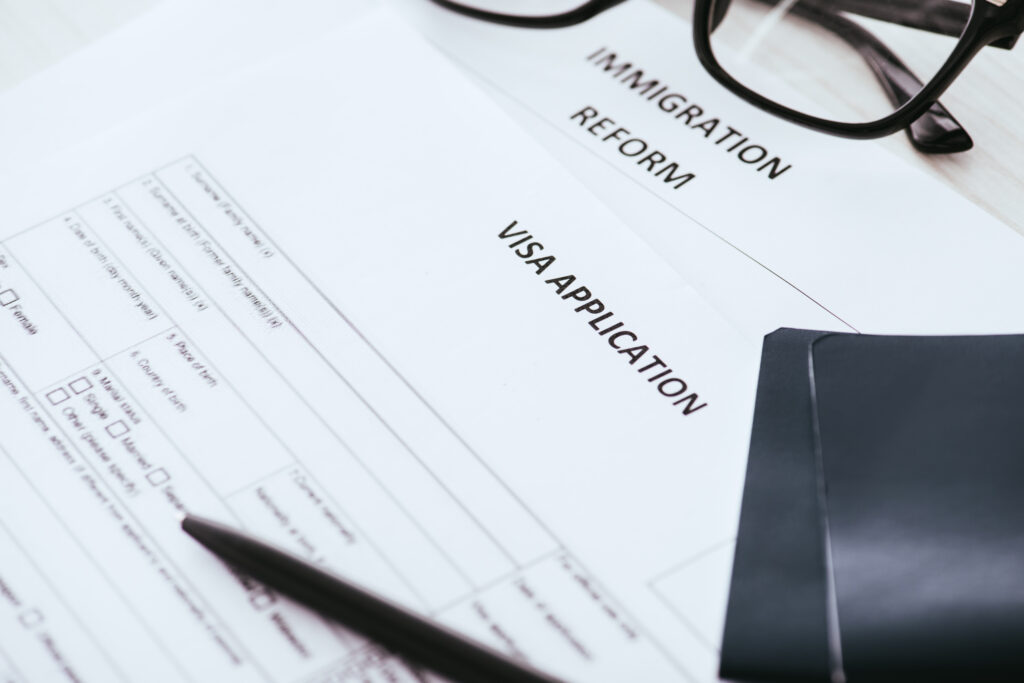
Opening a Digital-Only Bank Account as a New Migrant begins as one of those early steps that quietly shapes your entire UK journey. In 2025, the world of digital banking feels faster, sleeker and far more welcoming — yet, for anyone newly arriving in the country, it can still feel like entering a maze of apps, verifications and choices. Whether you’re settling in for work, study or a long-term move, opening a digital-only bank account often becomes one of the first practical tasks that signals your new life is truly underway. Before you know it, you’re comparing fintech apps, navigating identity checks and figuring out which features will actually make day-to-day living easier.
Why Choose a Digital Bank as a New Migrant?
As a newcomer to the UK, you might think that only traditional high-street banks can serve you. But in fact, digital banks are often easier to access, more flexible with documentation, and quicker to set up.
Key benefits include:
- Speed and convenience: No branch visits, you can sign up entirely from your phone or laptop.
- Lower documentation hurdles: Some digital banks accept just a passport and a UK address, without a full UK credit history.
- Multi-currency features: Many fintech banks let you hold or send money in more than one currency — useful if you’re moving funds between your home country and the UK.
- Innovative app features: Real-time spending notifications, savings “pots”, budgeting tools, and more are standard.
- Regulated protection: Certain digital banks are fully licensed UK banks; others are e-money institutions. Understanding the difference is vital for security.
Key Requirements & KYC Rules for New Migrants
When opening a digital-only account, you’ll need to satisfy KYC (Know-Your-Customer) requirements, which can vary depending on the provider:
- Identity verification
- You’ll usually need a passport, biometric residence permit (BRP), or national identity card.
- Many banks ask for a selfie or video to verify that the ID belongs to you.
- Proof of address
- Some digital banks may accept a UK address held by a friend or employer, especially if you don’t yet have utility bills in your name.
- Others might ask for a UK tenancy agreement, council tax bill, or a government letter.
- In certain cases, digital banks may not require proof of address, relying only on identity verification.
- Right to reside / Visa status
- Some banks explicitly require “the right to reside in the UK.”
- For non-UK tax residents or those on visas, additional checks may apply. Monzo, for example, states that you can open an account even if you’re not a UK tax resident, but you must have a UK residential address.
- Anti-financial crime screening
- All regulated banks and e-money providers perform screening for financial crime risk, such as money laundering checks.
- In fact, even some well-known fintechs have faced regulatory issues in recent times.
- Such checks mean they may reject customers if the documentation or risk profile doesn’t meet internal criteria.
Pros & Cons: Is a Digital-Only Account Right for You?
Pros:
- Accessibility early on
You can often open a digital account before or just after arriving in the UK, which helps you receive salary, pay rent, or manage daily costs faster. - Lower barrier to entry
Traditional banks often require months of UK address history; digital banks are more flexible with identity and address documents. - Global convenience
With multi-currency features (especially with providers like Revolut), sending money to your home country or holding foreign currencies is efficient and cheaper. - Modern financial tools
Budgeting, saving, instant spending alerts — all powered through intuitive mobile apps. - Regulatory protection (for some)
If you opt for a fully regulated UK bank, you benefit from FSCS protection.
Cons:
- Regulatory scrutiny and risk
As mentioned, Monzo and Starling have faced regulatory fines for weak financial crime controls. That means onboarding may be tighter for some customers. - Address requirement
Despite more flexibility, many digital banks still need a UK address for important steps like card delivery. - Limited product offering
- Revolut’s restricted UK banking licence means it may not offer all banking products (like loans) yet, depending on the regulatory stage.
- E-money institutions are not the same as banks; safeguarding is not the same as FSCS protection.
- Potential account rejections
There are cases of new migrants being denied despite having a visa and a BRP. - Stability and trust
Some older or more cautious users may prefer high-street banks for their long-standing reputation, despite convenience trade-offs.
Step-by-Step Guide
Here’s a practical roadmap for new migrants looking to open a digital-only account in the UK:
- Check visa eligibility & immigration status
- Make sure your visa allows you to reside in the UK.
- Have your visa documents (e.g., BRP) ready for identity verification.
- Choose the right bank
- Decide whether FSCS protection is important for you (Monzo / Starling) or whether you prioritise multi-currency / international transfers (Revolut).
- Consider how soon you’ll get a UK address and whether that impacts card delivery.
- Download the app & begin registration
- Download the relevant app (Monzo, Revolut, Starling) from the Play Store / App Store.
- During registration, you’ll likely enter your name, address, phone number, and tax residency status.
- Complete KYC verification
- Upload photo ID (passport or BRP).
- Provide a selfie or short video for identity match.
- (Optional) Submit proof of address when required.
- Wait for approval
- Digital banks typically perform checks within a few hours to a couple of days.
- Some may perform credit or fraud-risk checks.
- If additional documents are needed, the app will prompt you.
- Activate your account
- Once approved, you’ll receive a confirmation via app or email.
- Order your debit card; many digital banks send it to your UK address within 5–7 working days.
- You can often begin using your card via digital wallet (Apple Pay / Google Pay) even before the physical card arrives.
- Manage and monitor
- Set up “pots” or savings buckets.
- Enable notifications for transactions.
- Regularly check KYC requirements: some banks may ask for updated documents, especially if your visa changes.
Practical Tips & Common Pitfalls
- Use your employer’s or a friend’s UK address for card delivery if you don’t have your own accommodation yet.
- Keep all documents handy: passport, BRP, tenancy agreements, and any proof of residency.
- Be honest about your visa status when signing up: incorrect information may lead to account rejection.
- Don’t deposit all your funds just yet if using an e-money provider; since not all are FSCS-protected, it’s wise to spread risk.
- Watch for regulatory news: fintech licences and regulations change. For instance, Revolut’s licence status updates can affect deposit limits or product offerings.
- Report any customer service issues promptly via in-app chat — digital banks often resolve onboarding issues faster.
Final Thoughts!
Stepping into digital banking as a new migrant is ultimately about finding the tools that match the life you’re building in the UK. The apps may differ, the features may vary, and the onboarding steps may feel like a small hurdle, but the right choice will help you settle in with confidence and ease. Take your time, explore your options, and choose the platform that feels intuitive and supportive of your goals. And as you continue navigating work, life and opportunity in the UK, make sure you follow Skilled Worker Mag for guidance that keeps your journey moving in the right direction.